How to Build MOCC
Home • Agent Registry • Results • Roadmap • Campaign & Commercial Projects • Leadership & Strategy • How to Build MOCC • HubSpot Expert in South Wales
Building AI-Driven Marketing Operations at Scale
If you’re managing 50+ hours of manual marketing operations work per month — juggling request intake, quality checks, campaign builds, data analysis, and team coordination — you’re burning resources that AI agents could handle.
I’ve built a system of marketing operations agents that solves this: Autonomous AI workflows using Claude that intake requests into HubSpot, catch errors before launch, build campaigns, pull weekly insights, and scale across brands. Not one monolithic AI tool, but six layers of specialized agents, each owning one piece of the puzzle.
We call this MOCC (Marketing Operations Control Centre) — a production-tested, replicable architecture designed for mid-market and enterprise teams across South Wales, the UK, and beyond using Claude, HubSpot, Power Automate, and standard API connectors.
The payoff: campaign builds about two-thirds faster, fewer emergency rollbacks confident running marketing operations independently, and a human review step kept as the final gate.
This isn’t theoretical. It’s built on real marketing operations challenges from teams managing multi-brand campaigns, high-volume email programs, and complex approval workflows in HubSpot.
The 6-Layer AI Agent System for Marketing Operations
Marketing operations automation doesn’t happen overnight. It’s five small projects, each with clear success metrics and a 2–4 week timeline, layered into one cohesive system.
The key: get governance in place from day one. Every agent decision gets logged and auditable. Every layer feeds clean data into the next. This means you’re not building a fragile Jenga tower that collapses when you add a new brand. You’re building a scalable single source of truth that your team can hand off and operate independently.
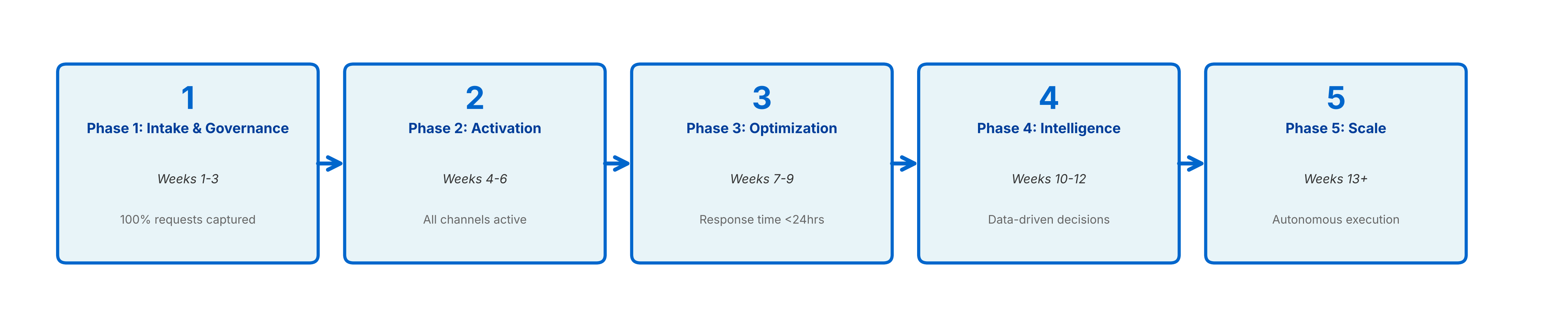
Phase 1: Intake & Governance (Weeks 1–3)
Goal: Build a single source of truth for all marketing requests.
- Set up a HubSpot deal pipeline for incoming requests
- Deploy the Intake Agent to capture structured requests in Teams, flag overlap with existing agents and tools, and log every request
- Build a dashboard to track request volume and turnaround time
- Document: Which manual tasks will this phase eliminate?
Success metric: 100% of requests captured and deduplicated in HubSpot within 24 hours.
Phase 2: Quality Assurance (Weeks 4–6)
Goal: Automate pre-go-live QA checks.
- Build the Email QA Agent (validates subject lines, links, deliverability)
- Build the Website QA Agent (crawls pages, checks for broken links, reports errors)
- Set up audit trail in SharePoint
- Integrate QA results back into HubSpot
Success metric: 95%+ of QA issues caught before launch; zero emergency rollbacks.
Phase 3: Production Layer (Weeks 7–9)
Goal: Automate high-volume repetitive builds.
- Deploy Campaign Build Agent (clones a campaign template and updates it with new assets in HubSpot)
- Deploy Content Agent (generate email copy, landing page descriptions)
- Deploy WordPress Post Agent (auto-publish to blog)
- Set up approval workflows
Success metric: Around two-thirds faster build time; 80%+ agent outputs require <5 min review time.
Phase 4: Data & Intelligence (Weeks 10–12)
Goal: Enable data-driven decision-making.
- Deploy Data Import Agent (standardize weekly reports, load into HubSpot)
- Deploy Campaign Performance Agent (weekly analytics & trend analysis)
- Deploy Clarity Website Analyst (on-site behaviour analytics and A/B test ideas)
- Build KPI dashboard
Success metric: Weekly insights delivered by Monday 9am; stakeholders taking action on agent recommendations.
Phase 5: Scale & Optimization (Weeks 13+)
Goal: Handoff to team; optimize for cost and speed.
- Train team on each agent
- Run a 2-week parallel test (manual ops + MOCC side-by-side)
- Measure and publish ROI
- Iterate on agent prompts based on team feedback
- Plan rollout to other brands
Success metric: Team confident running MOCC independently; <2% of agent decisions escalated to you.
Common Pitfalls in Marketing Operations Automation (& How to Avoid Them)
Agents making decisions without guardrails
Every agent needs approval workflows for high-stakes decisions. QA agents flag issues; they don’t auto-fix. Governance agents monitor but don’t auto-delete.
Inconsistent data feeding the agents
Standardize your source data FIRST. If your request intake is messy, agents will amplify the mess. Build Phase 1 (Intake) properly before moving to Phase 2.
Agents doing too much at once
Each agent owns ONE layer. A single agent shouldn’t handle intake + QA + reporting. It leads to logic complexity and hard-to-debug failures.
No audit trail
Every agent decision gets logged. When something goes wrong, you need to trace: What input did the agent see? What was its reasoning? Where did it escalate?
Building for one brand, not thinking about scale
Design with multi-brand in mind from day one. Store brand logic in a database, not in agent prompts. This saves months when you roll out to Brand 2.
Why Claude for Building Marketing Operations AI Agents
Claude powers the agent logic because:
- Instruction-following: Claude reliably follows structured workflows. If you say “Check for broken links and return a JSON array,” it does. Pair it with a dedicated link-checking step for the actual validity test.
- Context window: Each agent can hold large system instructions, examples, and data context in a single prompt.
- Reasoning: Complex decisions (duplicate detection, anomaly flagging, content quality assessment) benefit from Claude’s reasoning depth.
- Cost efficiency: Claude’s API is priced per input and output token, and prompt caching can cut the cost of a reused system prompt by up to 90%.
- Multimodal: Claude can read emails (text), analyze screenshots (images), and process data tables — all in one agent.
- Reliability in production: Error rates are low; fallback logic is predictable. Easier to design governance around.
Other models are fine for single, simple tasks. For a 6-layer system where each layer must be reliable and consistent, Claude’s depth and stability matter.
Getting Started: How to Implement Marketing Operations Agents
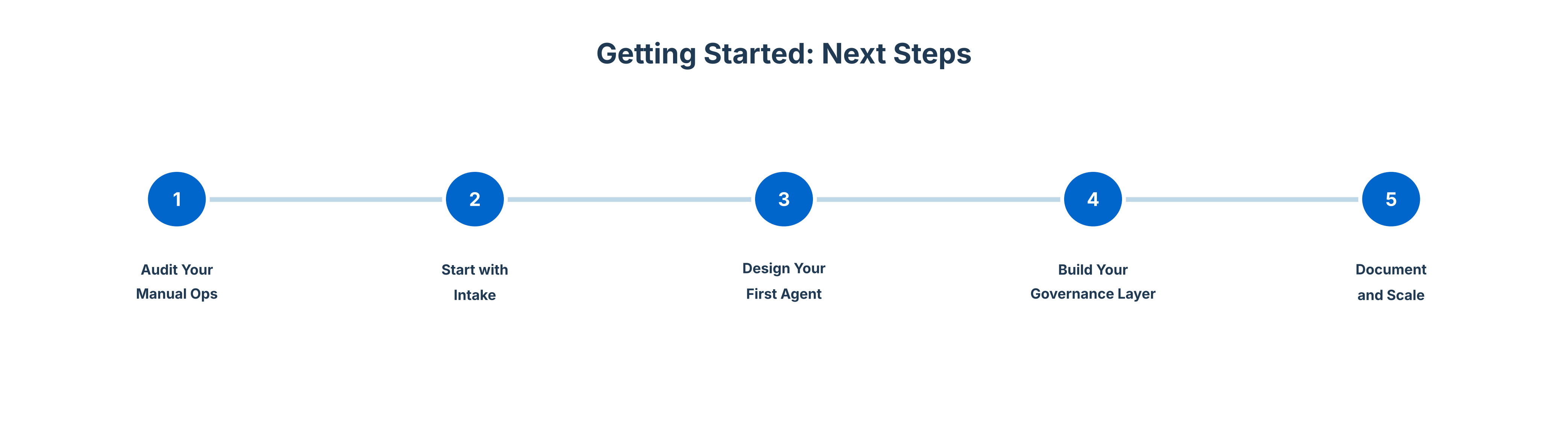
Step 1: Audit your manual ops
- Where do you spend 50%+ of your marketing ops time?
- What decisions could be automated with high confidence?
- Where are your biggest pain points (rework, duplicates, delays)?
Step 2: Start with intake
- Build Phase 1 first. Get clean, deduplicated requests flowing into HubSpot.
- Measure: How many duplicates did you catch? How fast is turnaround time now?
Step 3: Design your first agent
- Pick ONE high-impact task (e.g., Email QA).
- Write a detailed prompt; test with 20 real examples.
- Measure error rate and time savings.
Step 4: Build your Governance Layer
- Before going live, design monitoring and escalation.
- Who owns each agent? How often do you audit decisions? Where’s the audit trail?
Step 5: Document and scale
- Once Phase 1–2 work, document the playbook for Phase 3.
- Train your team to adapt it for their brand.
- Move on to the next layer while they manage the rollout.
Frequently Asked Questions About AI-Driven Marketing Operations
Do I need to be a developer to implement marketing operations AI agents?
No. MOCC uses Claude API, HubSpot, Power Automate, and Zapier — all designed for business automation. I built the logic; you configure the workflows. If you can set up an automation in Zapier or Power Automate, you can adapt MOCC.
How long does it take to build a marketing operations agent system?
Phase 1 (Intake Agent) takes 2–3 weeks. Once you’ve built one agent, each subsequent layer takes 1–2 weeks. Full 6-layer rollout: 4–5 months for a single brand, faster if you parallelize.
What if we use Salesforce instead of HubSpot for marketing operations automation?
The architecture stays the same; the connectors change. Instead of HubSpot API, you use Salesforce API. The agent logic (Claude) remains identical. Expect 10–15% additional time for Salesforce-specific configuration.
Can marketing operations agents work for agencies managing multiple clients?
Yes. MOCC is designed for multi-brand scale. Each brand gets its own workflow logic, but they share a common agent architecture. The Governance Layer ensures consistency across brands.
What’s the total cost of building a marketing operations AI system?
Tooling: Claude API (~£500/month for high-volume agent runs) + HubSpot Pro+ (~£300/month) + Power Automate (~£50/month) = ~£850/month. ROI: Typical payback on implementation consulting (4–5 months) within first 6 months of running Phase 1–2. Full operational scale (Phases 1–5) sees 3–4x ROI in year one through staff time recovery and faster campaign deployment.
Ready to Transform Your Marketing Operations?
If you’re a marketing operations leader, hiring manager, or team looking to architect a MOCC-like system for your organization -or if you’re hiring for marketing operations AI expertise in South Wales or the UK let’s talk.
George Murray architects, implements, and hands off marketing operations agent systems to teams. Post-implementation, your team runs it independently with 24/7 governance and audit trails built in.
For marketing ops teams or leaders: Happy to share what I’ve learned on architecture, implementation, team training, and optimisation.
For recruiters & hiring managers: I’m open to conversations about senior marketing operations roles focused on HubSpot and AI-enabled operations.
Contact: georgefwmurray@gmail.com
LinkedIn: linkedin.com/in/georgefwmurray/